Token Selection
Select LSP tokens to visualize definitions, references, and call hierarchies across your codebase
Overview
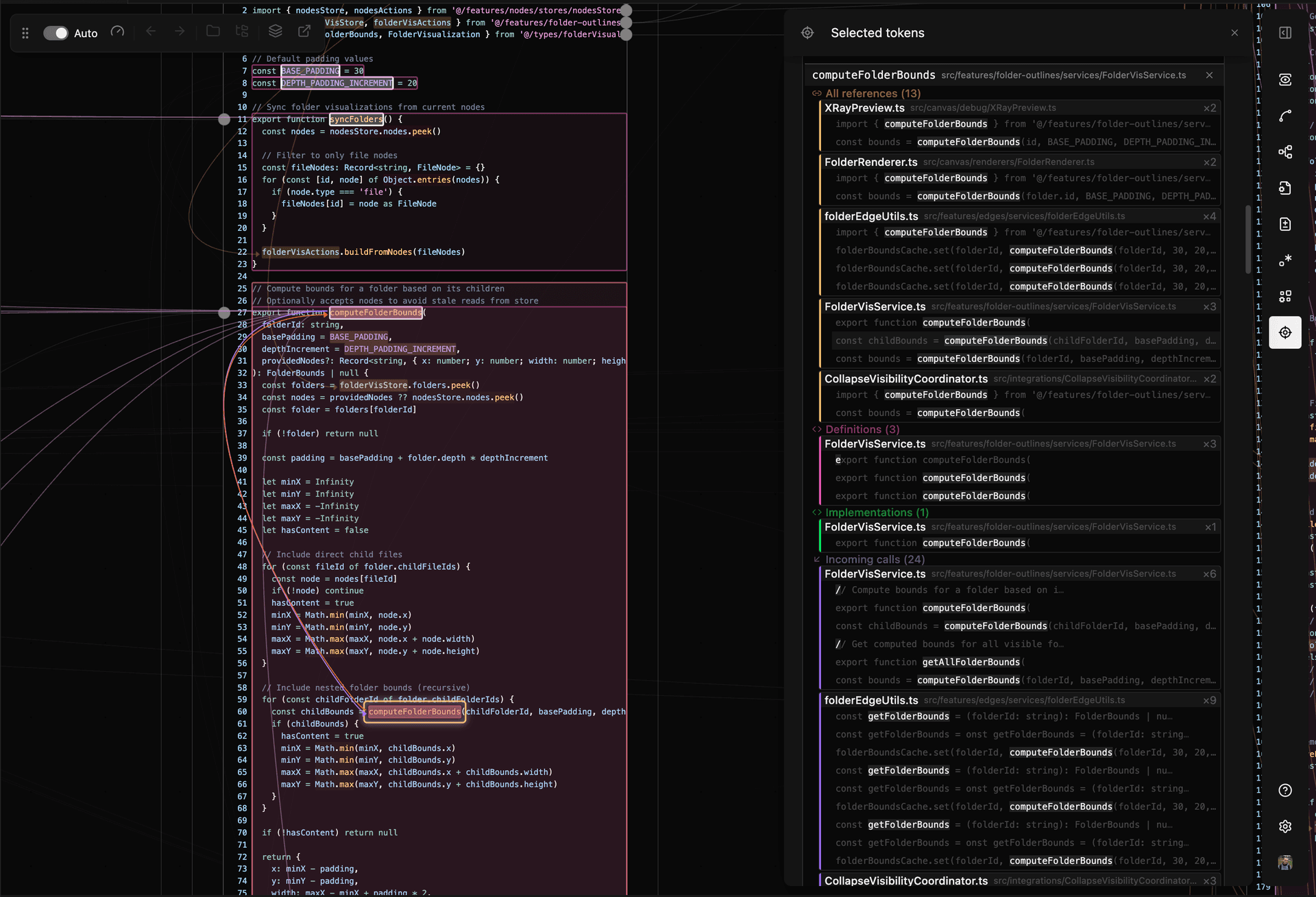
Cmd/Ctrl+Click on any token (function name, variable, parameter, type) to select it. Code Canvas queries the Language Server Protocol (LSP) for that token's definition, references, implementations, and call hierarchy, then draws colored overlays and edges connecting all locations across your files.
Token selection requires the same VS Code language extensions that enable go-to-definition: the built-in TypeScript extension for JavaScript/TypeScript, Pylance for Python, the C# extension for .NET, etc.
Reference Types and Colors
| Reference Type | Color | What It Marks |
|---|---|---|
| Definition | The token's definition location and body | |
| Implementation | Interface implementations; types also use green | |
| Incoming Calls | Functions that call the selected function | |
| Outgoing Calls | Functions called from within the selected function | |
| References | Imports, exports, and other usages |
Token Panel
Press T to open the Token Panel. It lists all references grouped by type. Clicking a reference opens its file. Hovering highlights that reference on the canvas.
LSP Token Structure
The LSP returns multiple ranges for each reference type:
Definition
Definition Origin— The name tokenDefinition Selection— The declaration line including type annotationsDefinition Range— The full body
Incoming Calls
Call In— The call site tokenCaller Selection— The calling function's declarationCaller Range— The calling function's body
Outgoing Calls
Call Out— The call site tokenCallee Selection— The called function's declarationCallee Range— The called function's body
Implementation — The implementation location
References — All other occurrences
Connections
Default edges connect:
- The selected token to its definition (origin, selection, range), implementation, incoming calls, and references
- Outgoing call tokens within the function body to their callee selections
Custom Connections
To add a connection between token types:
- Open the Token Settings panel
- Expand the dropdown for the source token type
- Click Add Connection
- Select the target reference type
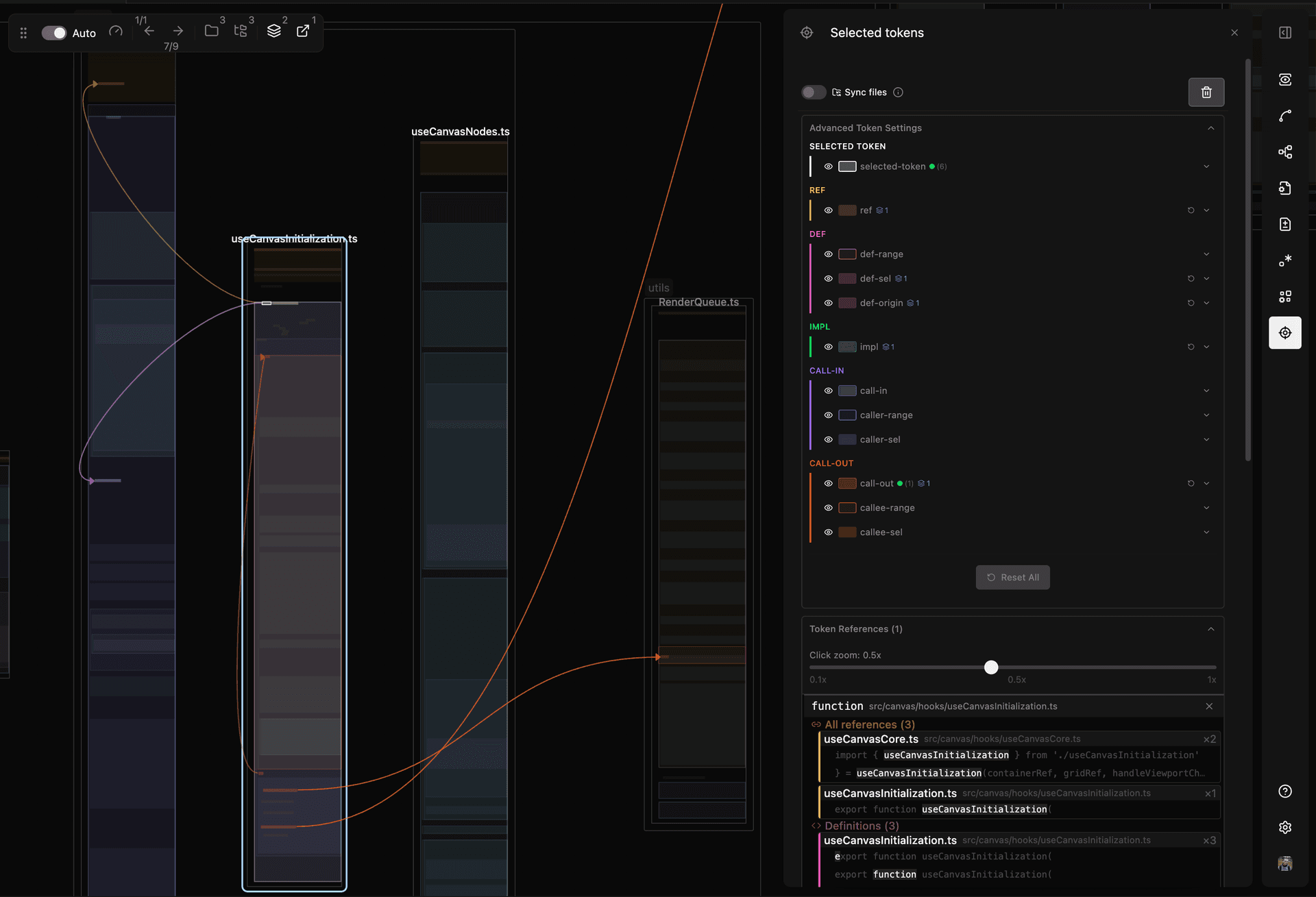
In the panel, green dots mark connections; blue icons mark style variants.
Styling
Each token type and its edges accept:
- Border color
- Fill color
- Opacity
- Border width
Style Variants
Style variants apply conditional styling to subsets of tokens or edges.
Built-in examples:
External outgoing calls — Calls to functions outside your repository (node_modules, standard library methods like Array.push()) render at 5% opacity.
Edge sides — Outgoing call edges connect on the left for same-file targets, on the right for other files. This matches the default left-to-right layout where imports appear rightward.
Edit these in the Advanced Token Settings panel.
File Sync
When enabled, selecting a token closes files without references to it and opens files that contain references. Hold Shift while selecting to accumulate files instead of replacing.
Limits
- 20 file maximum — File Sync opens at most 20 files per selection. A warning appears if more files exist, with an option to open all
- Ignore list — Tokens like
divorconstcan be added to an ignore list. Their references still display, but File Sync won't auto-open files for them - Always open all — Bypasses the 20 file limit
Related
- Symbol Overlays — Visual code structure overview